Stop Kids From Bypassing Your Parental Blocks
You blocked the app. Your kid asked the remote to open it anyway. And it worked.
That's not necessarily a failed parental control. It can happen because the app, the child's profile and the TV's voice controls are separate doors—and blocking one doesn't always close the others.
Stop Kids From Bypassing Your Parental Blocks walks you through those doors and shows you where to look when a child can still reach something you thought you had blocked.
The guide includes brand-specific directions for common smart-TV platforms, explains what each change actually affects, and gives you a way to test your controls afterward so you know whether the bypass is really closed.
The goal isn't to make the TV harder to use. It's to make the parental block harder to bypass.
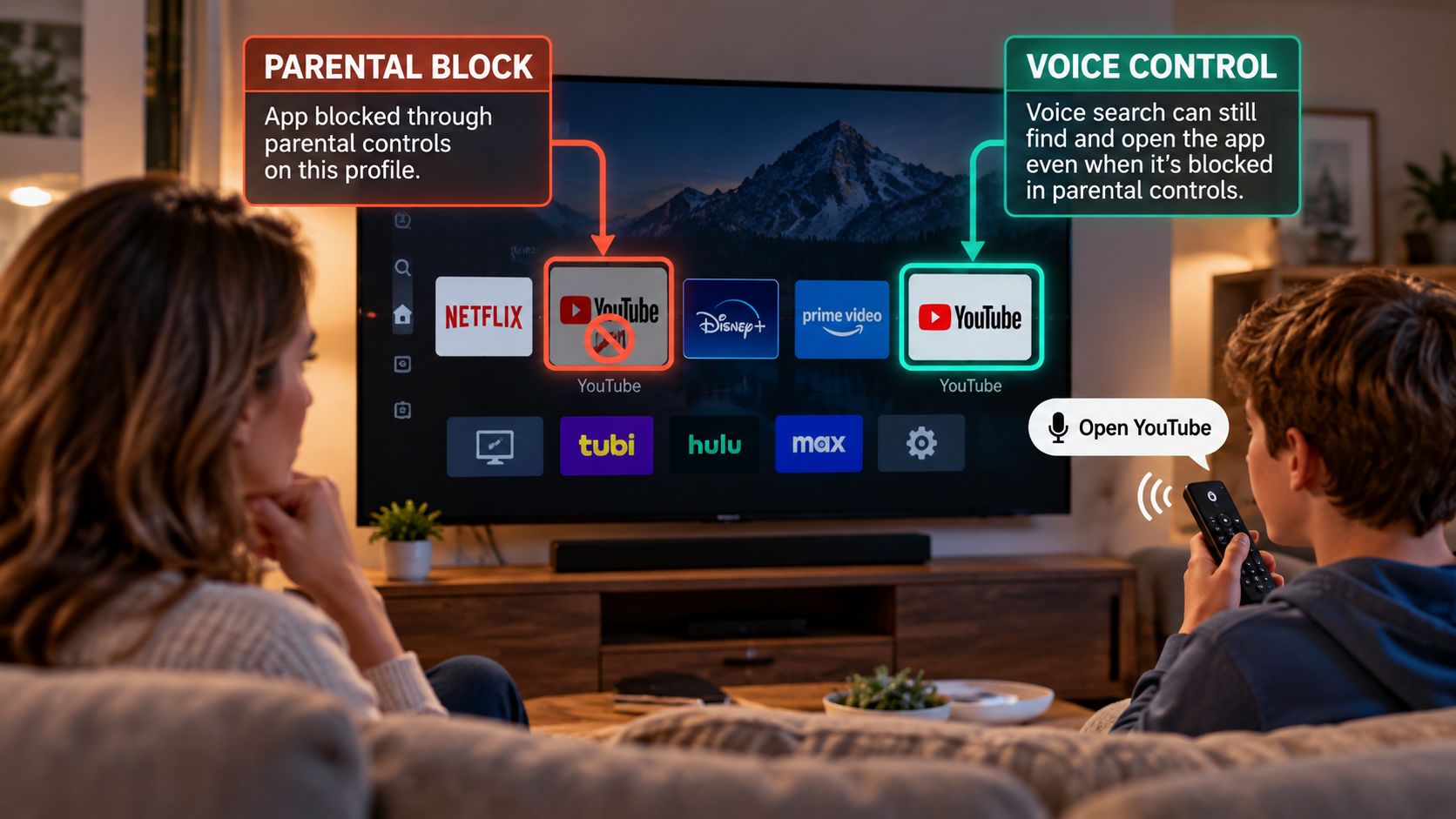
Blocking an app is only part of the job. You also need to know where another path may still exist.
This free packet gives you two resources that work together: one shows you where parental controls can be bypassed and what to check, while the other helps you identify televisions with voice-remote capability.
Two Resources. One Problem to Solve.
Learn how voice controls and other paths can let kids reach content you thought you had already blocked—and what to check so your parental controls work the way you intended.
Stop Kids From Bypassing Your Parental Blocks
Find the Bypass
Work out whether access is coming through the app, the child's profile, voice control or another path instead of assuming the parental block itself failed.
Check whether your television is one of the models or model families identified with voice-remote capability. The list covers 227 identifiable entries across 18 brands/manufacturer labels, organized so parents can look for their brand, series, size and model.
Voice-Remote Television Master List
The first resource shows you what to fix. The second helps you find where to look.
What you'll do with the packet
Check Your Television
Use the companion Master List to look for your TV by brand, series, size and model and determine whether voice-remote capability is something you need to investigate.
Make the Change. Then Test It.
Follow the guidance for your setup, check what functionality remains available, and try the same access path again. Don't assume the block worked—verify it.
Close the path you don't want without unnecessarily disabling the features your family still uses.
Get Both Free Resources
Enter your email and I'll send both resources straight to your inbox.
No lecture. No spam. Unsubscribe anytime.
Check the email you used. Both downloads are in the first message.
If you don't see the email after a few minutes, check your Spam, Trash or Subscriptions folders.